
Core Concepts
Learn the core concepts behind Munk Test and how its main workflows fit together.
To use Munk Test effectively, you don't need to understand complex testing frameworks or internal architecture. You only need to grasp a few core product concepts that represent what you test, how you structure execution, and what results you get.
1. AppTarget (The Application)
An AppTarget tells Munk Test what it is going to test. It abstracts away the differences between platforms so the AI can interact with them uniformly.
- For Web: It's typically a set of URLs (e.g.,
base_url,origin). - For Android: It's an application package name (e.g.,
com.example.app).
You define the target once, and Munk Test figures out how to launch it, capture its UI tree, and interact with its elements.
2. TestCase and RequirementPlan (The Instructions)
Munk Test's formal execution workflow is built around structured testing assets.
The TestCase (Structured Execution)
A TestCase is a structured, reproducible definition of a test. You use it when you have a specific intent and clear success criteria, such as regression testing, recorded flows, or CI pipelines.
- Components:
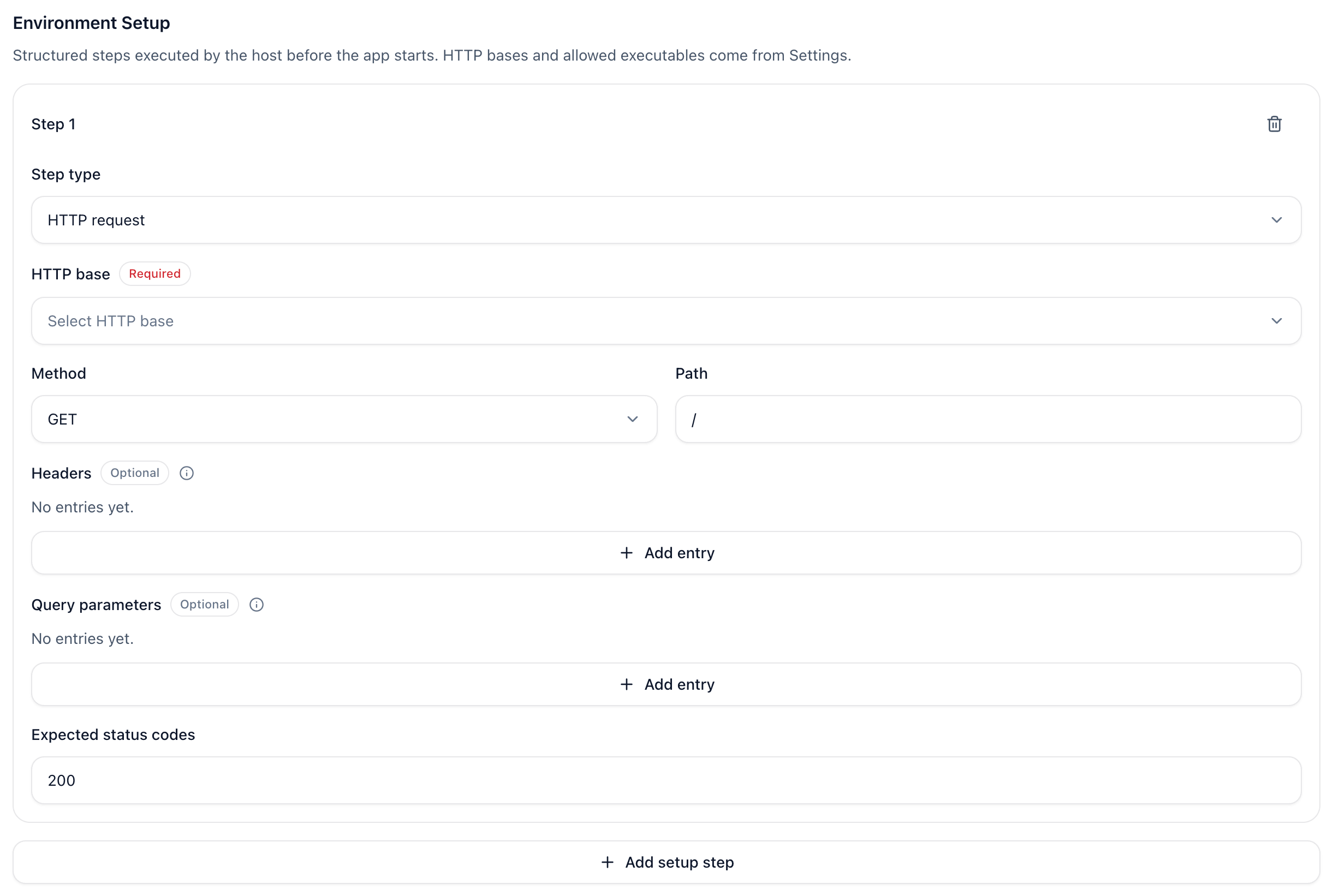
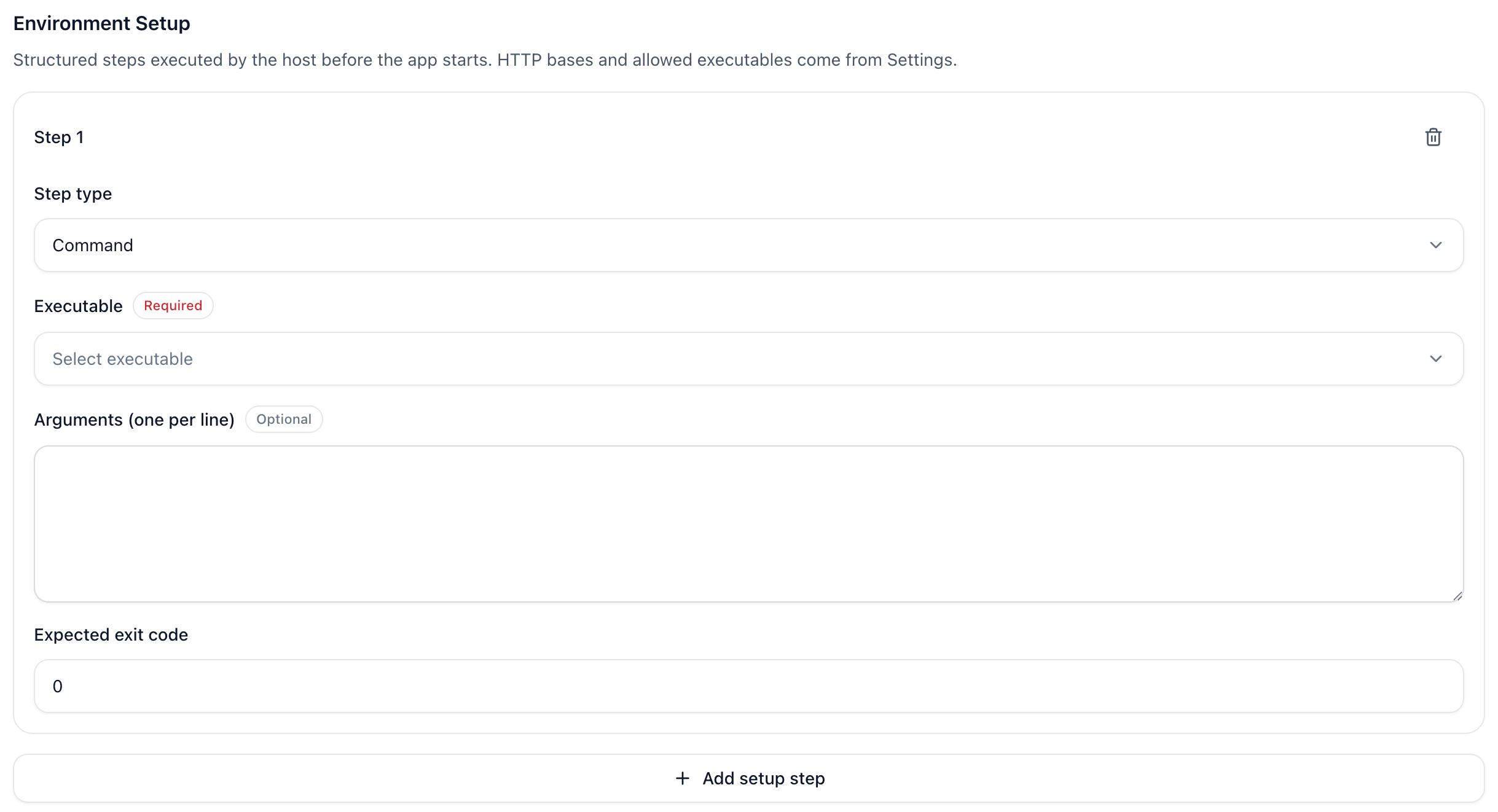
intent: What behavior is being validated.expected: A list of conditions that must be true for the test to pass.runner_goal: The executable task Munk Test should perform.setup(optional): Environment preparation steps that run before the Runner starts, such as HTTP requests or bash commands, to seed test data or backend state.
- Used in: The
munk run caseandmunk verify changecommands.
setup works together with the Test Environment (test_env) section in Settings:
TestCase.setupdescribes what this case should do before execution—currentlyhttpandcommandsteps.config.yamltest_envdescribes which shared resources those steps may use—named HTTP bases and allowed executable names.
HTTP setup steps reference a registered base via base; command setup executables must appear in allowed_exec. See Settings · Test Environment for how to register those shared resources.
In the Web UI case editor, add these steps under Environment preparation. The screenshots below show the HTTP request and command step forms:
The RequirementPlan (Organized Coverage)
A RequirementPlan groups multiple TestCase items into a reviewable, executable asset.
- Used in: The
munk plan,munk run plan, andmunk verify changeworkflows. - Why it matters: It is the unit you can review, approve, execute, and track over time.
3. Artifacts & Runs (The Results)
Munk Test doesn't just print "Pass" or "Fail" in the terminal. Because it operates visually and semantically, every execution (a Run) produces structured Artifacts saved in your local workspace (usually under .munk/runs/).
Instead of digging through raw logs, you get:
report.json: The final verification verdict (passed,failed, orinconclusive).- Screenshots: Visual proof of the app state before and after actions.
diagnostics.json: Execution details and any errors encountered during the run.
4. Config & Models (The Brains)
Munk Test is powered by large language models (LLMs), ideally local ones like Gemma 4 to keep costs low and data private.
The Config (typically a yaml file) tells Munk Test which model provider to use (e.g., LMStudio, direct API, OpenRouter) and how to connect to it. You pass this configuration to almost every command using the --config flag, ensuring the "brain" is properly attached to the "hands" (the device runtime).
Next Steps
Now that you understand the basic building blocks, you can dive into specific workflows:
- Settings - Configure models, Test Environment (
test_env), and runtime defaults. - Execution Workflows - Learn how to use
run case,run plan, andverify change. - Verify Code Changes - See how
AppTargetandTestCaseare used in CI. - Record & Replay - Learn how to record UI interactions instead of writing them manually.